
Dashboard

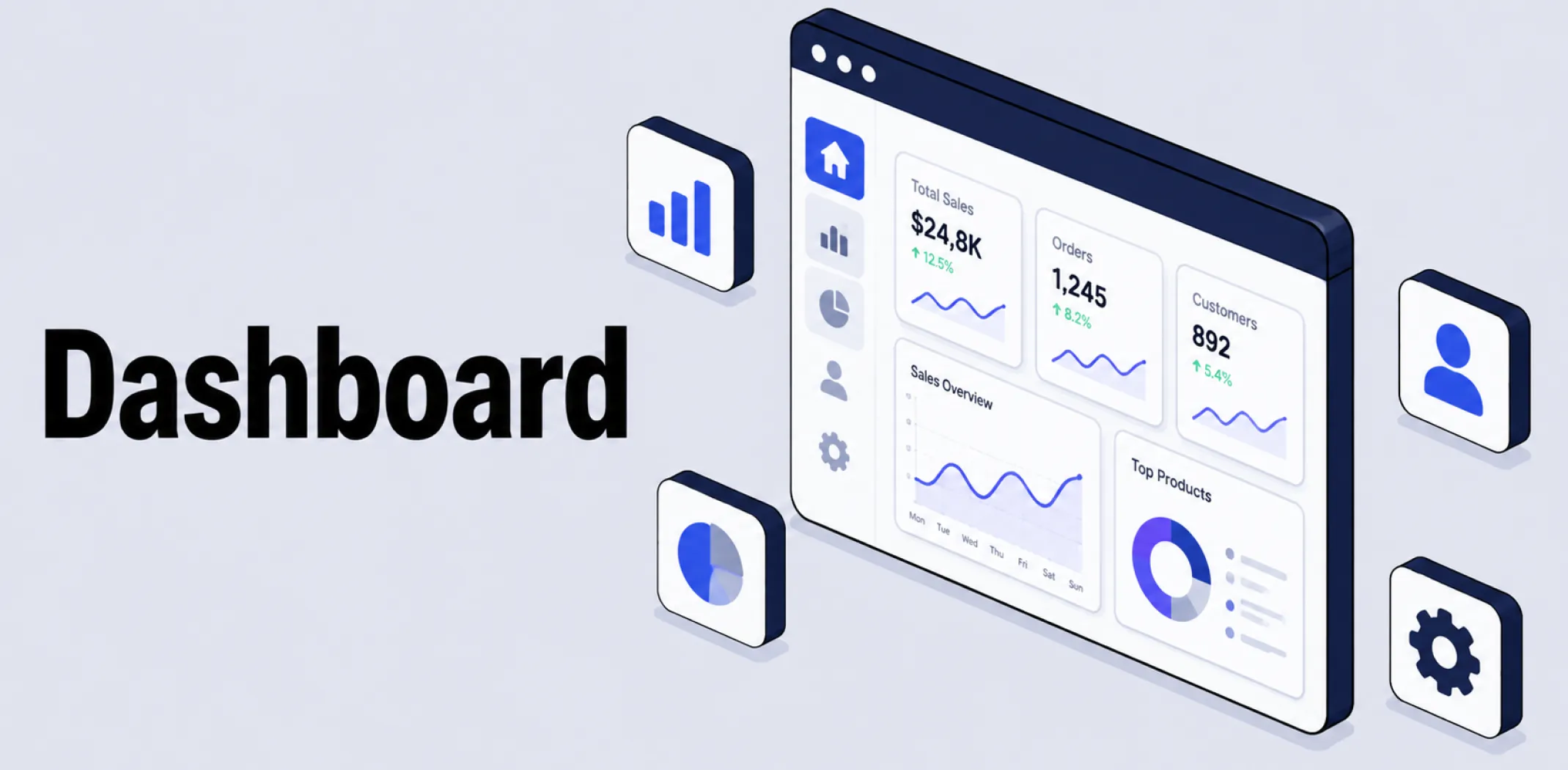
A dashboard is the central screen within an ecommerce platform or software tool where a user manages their store, views data, and accesses settings, typically organized into menus, widgets, or panels rather than requiring navigation through separate, disconnected pages.
In ecommerce, the term most commonly refers to two related but distinct types of dashboard. An admin dashboard is the operational control center built into a platform such as Shopify or WooCommerce, used to manage products, process orders, configure payment and shipping settings, and install plugins or apps.
An analytics dashboard is a more data-focused view, often pulling information from multiple sources, such as the store platform itself, web analytics tools, and advertising platforms, into a single visual interface tracking metrics like revenue, conversion rate, and customer acquisition cost.
Some platforms combine both functions into a single dashboard, while others separate day-to-day store management from deeper performance reporting, sometimes through a dedicated business intelligence tool layered on top of the core platform.
Most modern admin dashboards update in real time, reflecting new orders, inventory changes, and customer activity as they happen rather than on a delayed reporting cycle. Analytics dashboards typically go a step further, combining real-time figures with historical trends and forecasting to help merchants identify which products, channels, or campaigns are driving the most value.
Because a dashboard often serves as a single source of truth for an entire team, many platforms also include role-based access controls, allowing store owners to limit which sections of the dashboard different staff members, such as marketing or fulfillment teams, are able to view or edit.
Example
A merchant logs into their store’s admin dashboard each morning to check overnight orders, update inventory counts for a popular product, and respond to a customer question through an integrated messaging panel. Later in the week, they switch to a separate analytics dashboard that combines data from their store, their advertising accounts, and their email marketing tool to see which marketing channel is driving the highest-value customers, using that insight to shift more budget toward the better-performing channel.
Key characteristics
- Centralized management: A dashboard consolidates store operations, such as orders, products, and settings, into a single interface rather than requiring multiple separate tools.
- Two common types: Admin dashboards focus on day-to-day store operations, while analytics dashboards focus on performance metrics and trends, sometimes pulling data from several different sources.
- Real-time or near-real-time data: Most dashboards reflect current activity, such as new orders or inventory changes, as it happens, rather than relying on outdated or manually compiled reports.
- Customizable widgets: Many dashboards allow users to add, remove, or rearrange individual data panels, called widgets, to prioritize the metrics most relevant to their business.
- Role-based access: Dashboards on most platforms support permission settings that limit which sections different team members can view or modify, supporting both security and workflow organization.
Related terms
- Ecommerce – the broader category of online commercial activity that a store’s dashboard is used to manage and monitor.
- WooCommerce – an ecommerce plugin for WordPress that adds a dedicated dashboard for managing products, orders, and store settings.
- Plugin – an installable add-on, often managed and configured from within a platform’s admin dashboard.
- App – a platform add-on, typically installed and configured through the same admin dashboard used to manage the rest of a store.
- Order fulfillment – a process commonly tracked and managed directly from a store’s admin dashboard, from order placement through to shipment.
Frequently asked questions
What is the difference between an admin dashboard and an analytics dashboard?
An admin dashboard is the operational control center used to manage day-to-day store tasks, such as processing orders and updating products. An analytics dashboard focuses specifically on performance data, often combining information from multiple sources to track metrics such as revenue, conversion rate, and customer acquisition cost.
Does every ecommerce platform include a built-in dashboard?
Most major ecommerce platforms, including Shopify and WooCommerce, include a built-in admin dashboard as a core part of the platform. More advanced analytics dashboards, particularly those combining data from multiple external sources, are sometimes provided through a separate business intelligence tool rather than the platform’s native interface.
Can I customize what appears on my store’s dashboard?
Many platforms allow some level of customization, such as rearranging widgets or choosing which metrics to display prominently, though the degree of flexibility varies by platform. Dedicated analytics dashboard tools generally offer more extensive customization than a platform’s built-in admin view.
Can different team members have different dashboard access?
Most ecommerce platforms support role-based access controls, allowing a store owner to limit which sections of the dashboard specific team members, such as marketing or fulfillment staff, are able to view or modify. This helps protect sensitive data while still giving staff the access they need to do their jobs.
AliDropship: An all-in-one platform for starting dropshipping in 2026
AliDropship is a dropshipping platform that covers store creation, product imports, order automation, and marketing within a single system. It is designed for users with no prior ecommerce experience, though it also supports scaling for more established stores.
🛍️ Free turnkey store
New users receive a free pre-built store – set up, designed, and stocked with products. The store includes a ready-to-use product catalogue and a standard storefront design. It also comes with hosting, a domain, SSL, and payment systems already set up and included.
📦 Products
The platform provides access to a product catalogue covering both trending and niche items, with one-click import to your store. The catalogue is updated regularly to reflect current market availability. Products can be browsed, filtered, and added without leaving the platform.
🚚 Shipping & fulfillment
AliDropship provides access to a vast catalogue of products from global suppliers and handles order fulfillment automatically once a purchase is made. Customers receive tracking information directly, and orders are processed without manual intervention from the store owner.
📣 Marketing & promotion tools
The platform includes built-in marketing tools covering email campaigns, discount management, SEO settings, and social media integration. These are available within the dashboard and do not require third-party subscriptions for basic use.
👌 Ease of use
AliDropship requires no coding knowledge. The dashboard contains all the necessary tools for managing your store, products, and orders in one place. Additional features and products can be added as the store grows without rebuilding the existing setup.
What is the difference between an admin dashboard and an analytics dashboard?
Does every ecommerce platform include a built-in dashboard?
Can I customize what appears on the dashboard of my store?
Can different team members have different dashboard access?
Are you ready to become an owner
of a profitable online business?
Free Dropshipping Guide