
CMS

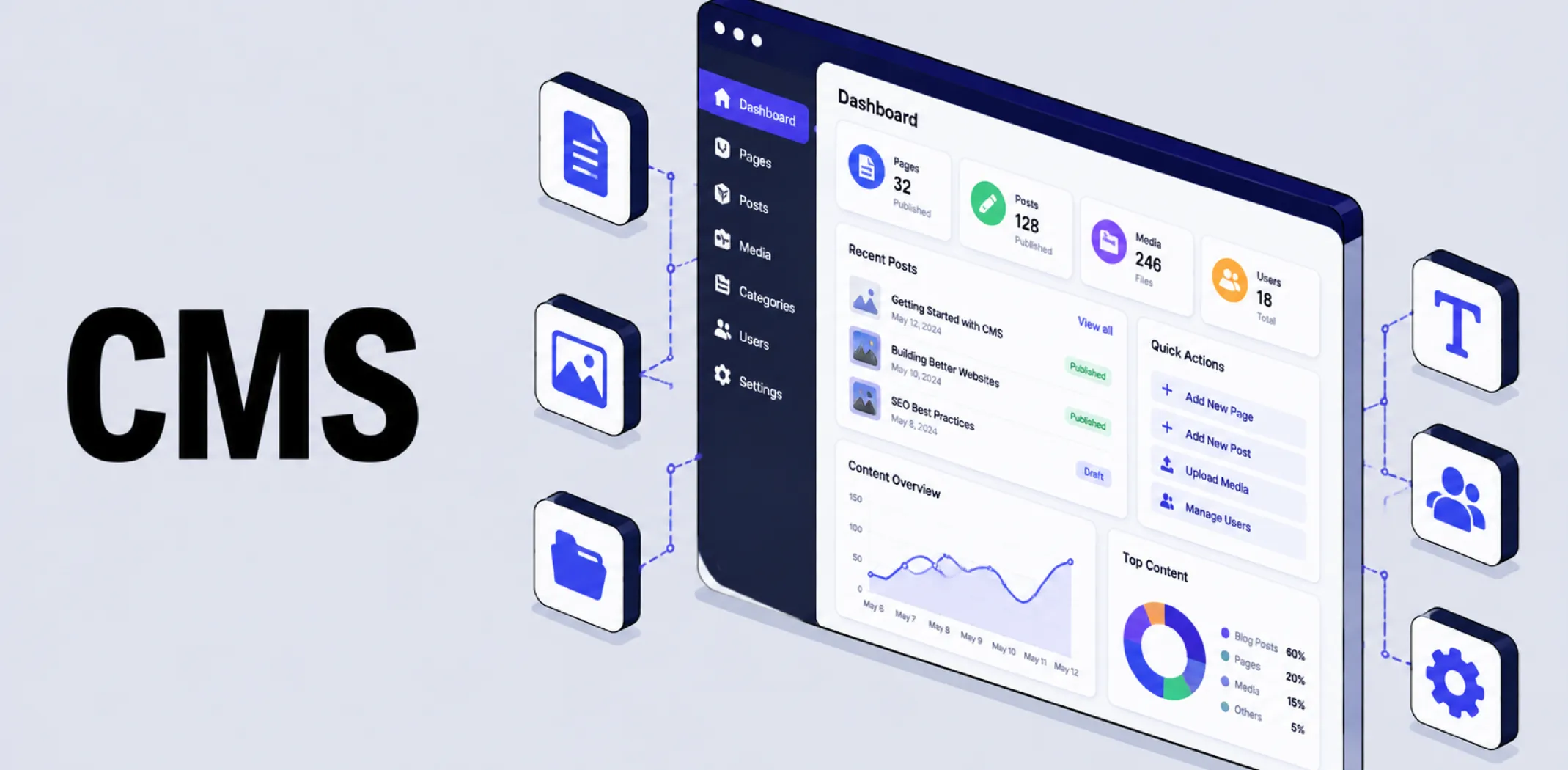
A CMS, or content management system, is software that allows users to create, organize, store, and publish digital content, such as web pages, blog posts, and product listings, without needing to write the underlying code for every page from scratch.
Before the rise of the CMS in the early 2000s, building or updating a website required a developer to manually edit HTML for each individual page, a slow and technically demanding process. Platforms such as WordPress changed this by separating content from presentation: content is stored in a structured database, while a separate templating system, such as a theme, determines how that content is displayed.
This division let non-technical users create and update pages through a visual editor, while developers retained the ability to customize the underlying templates and functionality through plugins or custom code.
How it works
A traditional CMS follows a consistent cycle each time a page is requested.
Content creation: an editor adds or updates text, images, or product details through the CMS’s admin panel, typically using a visual editor rather than writing raw code.
Content storage: that content is saved into a structured database, organized by content type, such as pages, posts, or products.
Template rendering: when a visitor requests a page, the CMS retrieves the relevant content and combines it with a predefined template or theme controlling layout and styling.
Page delivery: the assembled page, content and presentation combined into one HTML document, is sent to the visitor’s browser. This entire process happens within a single, tightly integrated system, often described as monolithic.
An alternative architecture, the headless CMS, changes the final two steps of this cycle. Rather than rendering a complete page itself, a headless CMS stops after content storage, making that content available through an API for any frontend, such as a website, mobile app, or other digital channel, to request and display however it chooses.
This is closely related to headless commerce, which applies the same decoupling principle specifically to ecommerce product and order data rather than general content.
Example
A small business owner uses a WordPress-based CMS to publish a new blog post. They write the post in a visual editor, add a featured image, and click publish, all without touching any code. Behind the scenes, the CMS saves the post’s text and metadata into its database, then automatically applies the site’s existing theme to generate a fully formatted page the moment a visitor requests it, keeping the new post visually consistent with the rest of the site.
Key characteristics
- Separates content from presentation: Content is stored independently of the templates or themes used to display it, allowing either to be updated without affecting the other.
- No-code content creation: Most CMS platforms provide a visual editor that lets non-technical users create and update pages without writing HTML or other code.
- Extensible through plugins: Core CMS functionality can typically be extended through installable plugins or apps, adding features such as ecommerce, SEO tools, or contact forms.
- Traditional vs headless architecture: A traditional CMS handles both content storage and presentation in one system, while a headless CMS stores content separately and delivers it via API to any frontend.
- Role-based content workflows: Most CMS platforms support multiple user roles, such as Editor or Contributor, allowing teams to collaborate on content with different levels of publishing access.
Related terms
- WordPress – one of the most widely used traditional content management systems, on which ecommerce functionality can be added through a plugin such as WooCommerce.
- Headless commerce – an ecommerce architecture that applies the same decoupling principle as a headless CMS specifically to product and order data.
- Theme – the templating layer within a traditional CMS that controls how stored content is visually presented to visitors.
- Plugin – an installable add-on that extends a CMS’s core functionality without requiring custom development from scratch.
- Admin panel – the login-protected backend area of a CMS where content is created, edited, and published.
Frequently asked questions
What is the difference between a traditional CMS and a headless CMS?
A traditional CMS handles both content storage and presentation in one integrated system, rendering complete pages itself. A headless CMS only stores content, making it available via API so any frontend, such as a website or app, can retrieve and display it independently.
Do I need to know how to code to use a CMS?
Most CMS platforms are designed to be used without coding knowledge, offering a visual editor for creating and publishing content. Deeper customization, such as modifying templates or building custom plugins, generally does require development skills, though this is not necessary for everyday content management.
Is WordPress a CMS?
Yes, WordPress is one of the most widely used content management systems, originally built for blogging and now used for a broad range of website types, including ecommerce stores through the addition of a plugin such as WooCommerce.
Why would a business choose a headless CMS over a traditional one?
A business might choose a headless CMS if it needs to deliver the same content across multiple channels, such as a website, mobile app, and other digital touchpoints, from a single content source. Traditional CMS platforms are generally simpler to set up but are limited to rendering content for a single, tightly coupled frontend.
AliDropship: An all-in-one platform for starting dropshipping in 2026
AliDropship is a dropshipping platform that covers store creation, product imports, order automation, and marketing within a single system. It is designed for users with no prior ecommerce experience, though it also supports scaling for more established stores.
🛍️ Free turnkey store
New users receive a free pre-built store – set up, designed, and stocked with products. The store includes a ready-to-use product catalogue and a standard storefront design. It also comes with hosting, a domain, SSL, and payment systems already set up and included.
📦 Products
The platform provides access to a product catalogue covering both trending and niche items, with one-click import to your store. The catalogue is updated regularly to reflect current market availability. Products can be browsed, filtered, and added without leaving the platform.
🚚 Shipping & fulfillment
AliDropship provides access to a vast catalogue of products from global suppliers and handles order fulfillment automatically once a purchase is made. Customers receive tracking information directly, and orders are processed without manual intervention from the store owner.
📣 Marketing & promotion tools
The platform includes built-in marketing tools covering email campaigns, discount management, SEO settings, and social media integration. These are available within the dashboard and do not require third-party subscriptions for basic use.
👌 Ease of use
AliDropship requires no coding knowledge. The dashboard contains all the necessary tools for managing your store, products, and orders in one place. Additional features and products can be added as the store grows without rebuilding the existing setup.
What is the difference between a traditional CMS and a headless CMS?
Do I need to know how to code to use a CMS?
Is WordPress a CMS?
Why would a business choose a headless CMS over a traditional one?
Are you ready to become an owner
of a profitable online business?
Free Dropshipping Guide